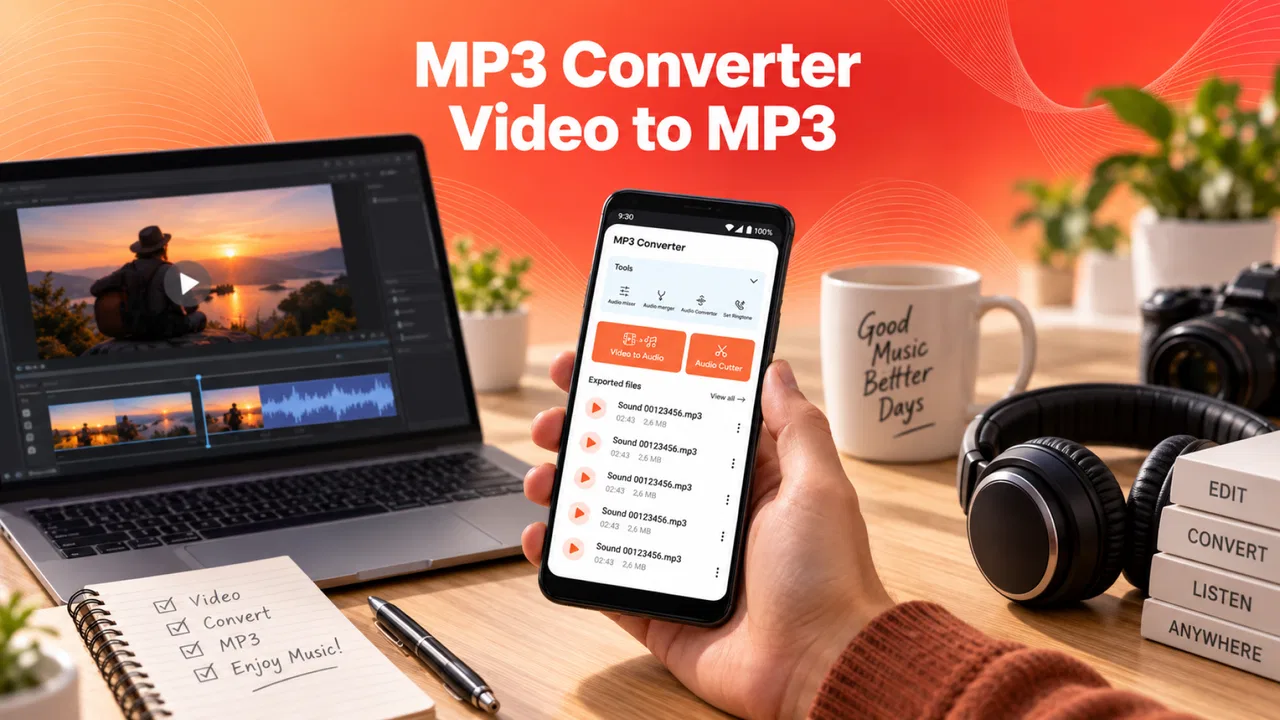
MP3 Converter - Video to MP3
- 4.8
- Rating
- 1.00M
- Installs
- Free
- Price

 Analysis by App-foxy
I approached MP3 Converter - Video to MP3 as a practical tool rather than a full music-production app. Its purpose is straightforward: take a video file and turn its audio into an MP3, with cutting available when I only want part of the original recording. That narrow focus is also its main appeal. I do not have to open a large editor, learn a timeline, or manage a complicated project just to save the useful sound from a clip.
After using it as a video-to-audio utility, I found it best suited to quick personal jobs: extracting a speech from a saved video, trimming a long recording, preparing an audio file for offline listening, or separating sound from a clip before sending it elsewhere. It belongs in the Music & Audio category, is free to install, and is made by Bizcraft Apps. The app is rated for Everyone, so its presentation is accessible even if the actual usefulness depends on what kind of files you handle.
What to consider before choosing a video-to-MP3 app
The first decision is not really about the app name; it is about the workflow I want. If I already have a video on my phone and need an MP3 quickly, a focused converter makes more sense than a general audio workstation. If I need to record, mix, remove noise, add effects, or edit several tracks together, a dedicated audio editor is usually the better category.
You May Also Like

 Blood Strike: 2.5 Anniversary
Blood Strike’s Loadouts Turn Every Drop Into a Tactical Gamble
A close look at Blood Strike’s custom loadouts: how fast access to signature weapons reshapes its battle royale rhythm, rewards preparation, and narrows the gap between fights.

 Pandora - Music & Podcasts
Pandora’s Music Is Easy to Start, but Harder to Recover
Pandora’s strength is its low-effort path from a seed to a station. Its weak spot is how much confidence it asks you to place in connection, setup, and quiet recovery.

 8 Ball Pool
 Is Built on Rivalries, Rematches, and Routine
A close look at the rivalries, rematches, shared routines, and unanswered safety questions that turn a quick pool match into a persistent mobile community.

 Samsung Music
’s Quiet Strength Is Playing What You Already Own
Its reach comes less from spectacle than from dependable access to a personal library. That simplicity is both the app’s strongest retention engine and its ceiling.

 AccuWeather: Weather Radar
AccuWeather Review: A Quick, Clear Forecast for Everyday Decisions
For everyday plans, the best forecast is the one you can understand quickly. AccuWeather makes rain timing, radar, and local conditions easy to act on, with a few trade-offs.

 Hill Climb Racing
Why Hill Climb Racing Still Turns Crashes Into One More Run
A tiny car, a bumpy hill and one more upgrade: Hill Climb Racing keeps resurfacing because its simple chaos makes every near-miss feel personal.
More From Our News Desk
View All News


I also look at how much control the converter gives me. A basic export button is enough for a short clip, but trimming matters when the source contains a long introduction, silence, or unrelated material. The ability to cut before saving can prevent me from creating a bulky file and then opening another app just to clean it up.
Format expectations matter too. This is specifically an MP3 Converter, so I would choose it when MP3 is the destination I actually need. MP3 remains convenient for sharing and broad device compatibility, but it is not automatically the best choice for every audio task. Someone preserving the highest possible source quality, keeping multitrack material, or working with specialist formats should compare other tools before committing to a simple converter.
My final criterion is friction. A useful mobile converter should make the path from source video to finished audio easy to understand. The practical questions are simple: Can I find the source without confusion? Can I select the relevant portion? Can I identify the finished file afterward? Can I repeat the process without rebuilding a project every time? This is where a focused app can beat a more powerful alternative for everyday users.
A realistic everyday workflow
Imagine I have saved a long lecture video and want only the spoken explanation for a commute. I would open the converter, choose the video, use the cutting step to remove the opening material, and export the remaining audio as an MP3. The useful result is not merely the conversion itself; it is avoiding a second cleanup session and keeping the file focused on what I actually want to hear.
Another sensible case is a family video containing a short spoken message. I may want the audio portion separately so it is easier to replay or share. A converter with a trimming workflow is more suitable here than a music player, because the player can listen to the source but cannot replace the source with a convenient audio file.
There is also a preparation use case. I might have a video demonstration and want to listen to its instructions while doing another task. Converting it to MP3 removes the need to keep the video portion active. That does not make the app a podcast manager, but it does make it a useful bridge between a video file and an audio-only habit.
Where MP3 Converter - Video to MP3 feels strongest
The strongest part of MP3 Converter - Video to MP3 is its clear job description. I can approach it with a specific question—how do I get audio from this video?—instead of navigating a broad collection of recording and editing tools. That simplicity is valuable on a phone, especially when I am working with one file and do not want to maintain a project library.
The cutting function adds practical value beyond a one-tap format change. In my view, this is the difference between a converter that merely changes containers and one that can fit a real personal workflow. If the source begins with unnecessary silence or ends with material I do not need, trimming before export creates a cleaner result and reduces the need for another app.
A useful tip is to decide the final listening purpose before converting. For a short voice message, I would trim aggressively and keep only the meaningful section. For a lecture or interview, I would leave a little breathing room at the beginning and end rather than cutting so tightly that the first word or final sentence feels abrupt. This small decision improves the result more than repeatedly changing apps.
The app also makes sense for users who do not want to learn audio terminology. A specialist editor may expose tracks, codecs, sample settings, effects, and export profiles. Those controls are valuable when they are needed, but they can slow down a person who simply wants an MP3 from a video. Here, the focused purpose lowers the learning curve.
Its broad adoption is reflected in an average rating of 4.9 from around 64 thousand ratings, with over 1 million installs. I treat those figures as a sign that the basic workflow is resonating with many users, not as proof that it will suit every phone or every source file. A simple converter can still feel limited to someone expecting studio-level editing.
Small habits that make the result better
I would keep the original video until I have checked the exported MP3. Conversion is not the moment to delete the source. If the selected section starts too early, ends too late, or produces an audio result that is not what I expected, having the original file makes it easy to try again rather than search for the video later.
I would also use meaningful file names when the workflow allows it. A name based only on the original clip can become confusing after several conversions. For a set of lessons, interviews, or personal recordings, adding the subject and segment to the saved name makes the audio library easier to use. This is especially helpful because a converter is often used as the first step in a larger organization routine.
For long videos, I would plan the cut before starting the export. Listening through the entire source first may be inefficient, so I would note the approximate beginning and end of the useful section while watching the video, then make the trim with those points in mind. This reduces trial-and-error and avoids producing several nearly identical MP3 files.
One trade-off is that MP3 is convenient because it is widely recognized, but every conversion should be judged by the source and the purpose. If the source is already compressed, converting it again will not restore lost detail. For speech, casual listening, and sharing, that may be perfectly acceptable. For archival work or careful music editing, I would keep the original and choose a workflow designed around preserving quality.
How it compares with the usual alternatives
The closest alternative is a general-purpose video editor. That type of app may be better if I need to rearrange images, add captions, combine clips, or produce a finished video. However, it can be excessive for extracting sound. I would choose the editor when the video itself is the project; I would choose this converter when the audio is the destination.
A dedicated audio editor is another category to consider. It is the stronger option for cutting several recordings together, applying effects, cleaning noise, adjusting levels, or creating a polished production. Its advantage is control. Its disadvantage is that the extra controls can turn a quick conversion into a more involved editing session. For a single video and a simple MP3, that additional power may not justify the extra steps.
File-management tools sometimes offer built-in conversion features, and those may be convenient for people who already organize everything through one utility. The drawback is that conversion may be only a side feature, with less attention given to trimming and the specific path from video to audio. I would compare the number of steps rather than assuming that an all-in-one app is automatically more efficient.
Online converters can appear attractive because they may work from a browser, but I prefer an on-device workflow when the video is personal, large, or inconvenient to upload. I would not send a private family recording or sensitive speech to a service merely to avoid installing a focused tool. At the same time, a browser-based option may suit someone working on a computer or handling a file that is not stored on a phone.
The important comparison is therefore not “which app has the most features?” It is “which tool creates the fewest unnecessary steps for my exact job?” MP3 Converter - Video to MP3 wins when the job begins with a local video and ends with a trimmed MP3. It loses its advantage when the job expands into production, restoration, or multi-format media management.
What may cause friction
The focused design also creates boundaries. I would not install this expecting a complete music studio, a podcast editor, or a replacement for a media library. Its value comes from converting and cutting, so users who need advanced sound shaping may quickly reach the edge of what this kind of app is meant to do.
Another possible frustration is that the quality of the final audio depends heavily on the source video. A poor recording will remain poor after conversion. The app can change the form of the media and help remove unwanted sections, but it cannot turn distant speech into studio audio or recreate detail that was never captured.
I would also check the finished file before sharing it widely. A quick conversion workflow encourages speed, but a few seconds of listening can reveal an accidental cut, an unwanted pause, or a result that is longer than intended. This is a small step, yet it prevents the common mistake of sending the wrong version and repeating the process later.
The free price makes trying the basic workflow easy, although in-app purchases range from $0.99 to $99.99 per item. I would pay attention to any purchase screen and decide whether the extra value matches how often I convert files. Someone who converts a video once in a while may be satisfied without spending; someone relying on the app regularly should understand which parts of the experience are available without payment before making it part of a daily routine.
The current version is 7.1.0, and the app requires Android 8.0 or later. That makes the compatibility question fairly easy for many Android users, but I would still check the phone’s software before planning a workflow around it. The app is listed as free, yet “free to install” and “free of every optional purchase” are not the same thing, so I would make that distinction clear to anyone recommending it.
Who should use it, and who should choose something else?
I would recommend it to someone who regularly receives or saves videos and wants a direct way to listen to their audio separately. It is particularly suitable for short personal conversions, trimmed talks, spoken messages, simple study material, and casual offline listening. The app’s focused purpose is an advantage for people who prefer a short learning curve and do not want a full editing workspace.
I would be more cautious about recommending it to a musician, sound designer, journalist, or podcaster whose work depends on detailed editing. Those users may need waveform-level precision, noise treatment, multiple tracks, metadata control, or a wider range of export choices. A dedicated audio tool would be the better investment even if it takes longer to learn.
It is also not the right answer for someone whose main goal is downloading material from online platforms rather than converting videos already available on the device. I would use it for files I legitimately have access to and avoid treating a format converter as a solution for every kind of online media acquisition. That distinction keeps the workflow practical and responsible.
For families, the Everyone rating is reassuring from a presentation standpoint, but I would still guide younger users toward appropriate files and sensible sharing habits. The age rating does not change the need to think about copyright, privacy, or whether a recording should be distributed. A simple tool can make sharing easy, which is precisely why a little judgment remains important.
Is switching to it worth it?
The cost of switching is low if I am currently using a large video editor for every conversion. I would need to adjust to a narrower workflow, identify where the exported files are saved, and develop a habit of checking the trim before sharing. In return, I would avoid opening a project-based editor for a task that does not need one.
The cost is higher if I already use an audio editor that handles conversion, cutting, naming, and organization in one place. Moving to a specialized converter could mean losing familiar controls or creating an extra step when I later need more editing. In that situation, I would keep the established editor and use this app only if its simpler path genuinely saves time.
My practical test would be to convert three different kinds of source: a short spoken clip, a longer video with a section to remove, and a file whose audio quality matters more. If the first two feel easy and the third exposes limitations that matter to me, the result is still useful: I would know that this is a quick-conversion tool, not a universal replacement.
Because the app has been available since May 11, 2024, and has reached a large installed audience, it feels like an established option rather than an obscure experiment. Still, I would judge it by repeatability. The real question is whether I can complete the same task tomorrow without searching for instructions again. For a focused utility, consistency matters more than a long feature list.
My recommendation
My recommendation is positive, with a clear boundary. If I need to turn an existing video into a trimmed MP3 on an Android phone, I would try MP3 Converter - Video to MP3 before reaching for a full editor. It is free to install, easy to understand in concept, and focused on the exact conversion path many people actually need.
I would not present it as a replacement for professional audio software or a complete media-management system. Its best use is the small, repeatable job: choose a video, keep the useful section, export the audio, and check the result. That workflow is simple enough for occasional users while still practical for someone who often separates speech or music from personal video files.
Choose it when speed and a focused video-to-MP3 workflow matter more than advanced audio control. Choose another category when you need serious editing, restoration, production, or broader format management. For my everyday recommendation, that distinction makes the decision straightforward: this app earns a place on the phone of a user who wants conversion without ceremony, but it should not be mistaken for an entire audio studio.
FAQs for MP3 Converter - Video to MP3
01What formats does MP3 Converter - Video to MP3 support for conversion?
MP3 Converter - Video to MP3 supports a wide range of video formats such as MP4, AVI, MKV, and FLV for conversion to MP3. This ensures compatibility with most video files you may have on your device, making it a versatile tool for extracting audio from diverse media sources.
02Is MP3 Converter - Video to MP3 user-friendly for beginners?
Yes, the app is designed with an intuitive interface that makes it easy for users of all experience levels. The conversion process involves simple steps: select the video file, choose the output format, and initiate the conversion. This straightforward approach helps beginners navigate the app without a steep learning curve.
03Can I edit audio files within the app after conversion?
MP3 Converter - Video to MP3 includes basic editing features that allow you to trim, cut, and adjust audio files post-conversion. While it provides essential editing tools, users seeking advanced audio editing may need additional software. Nonetheless, these features are sufficient for minor adjustments and customization.
04Does MP3 Converter - Video to MP3 require an internet connection?
No, the app operates offline, allowing you to convert videos to MP3 without needing an internet connection. This is particularly useful for users who wish to convert files while on the go or in areas with limited connectivity, ensuring constant accessibility to its features.
05Is there a limit to the number of conversions I can perform with MP3 Converter - Video to MP3?
The app does not impose a limit on the number of conversions you can perform. Users can convert multiple files without restrictions, making it ideal for those who need to manage large libraries of video content. However, performance may vary depending on the device's processing capabilities.
Pros
- Easy user interface for quick conversion.
- Supports various video formats.
- Batch conversion saves time.
- High-quality audio output.
- Minimal ads for a free app.
Cons
- Limited editing features available.
- No cloud integration for storage.
- Occasional crashes on older devices.
- In-app purchases for premium features.
- Requires internet for some functionalities.

MP3 Converter - Video to MP3
Gallery